Invoicing & Payments
Pool Invoicing Software
Replace paper invoices with invoices and quotes you create in Skimlog. Connect your Stripe account to save customers' cards and charge them for invoices.
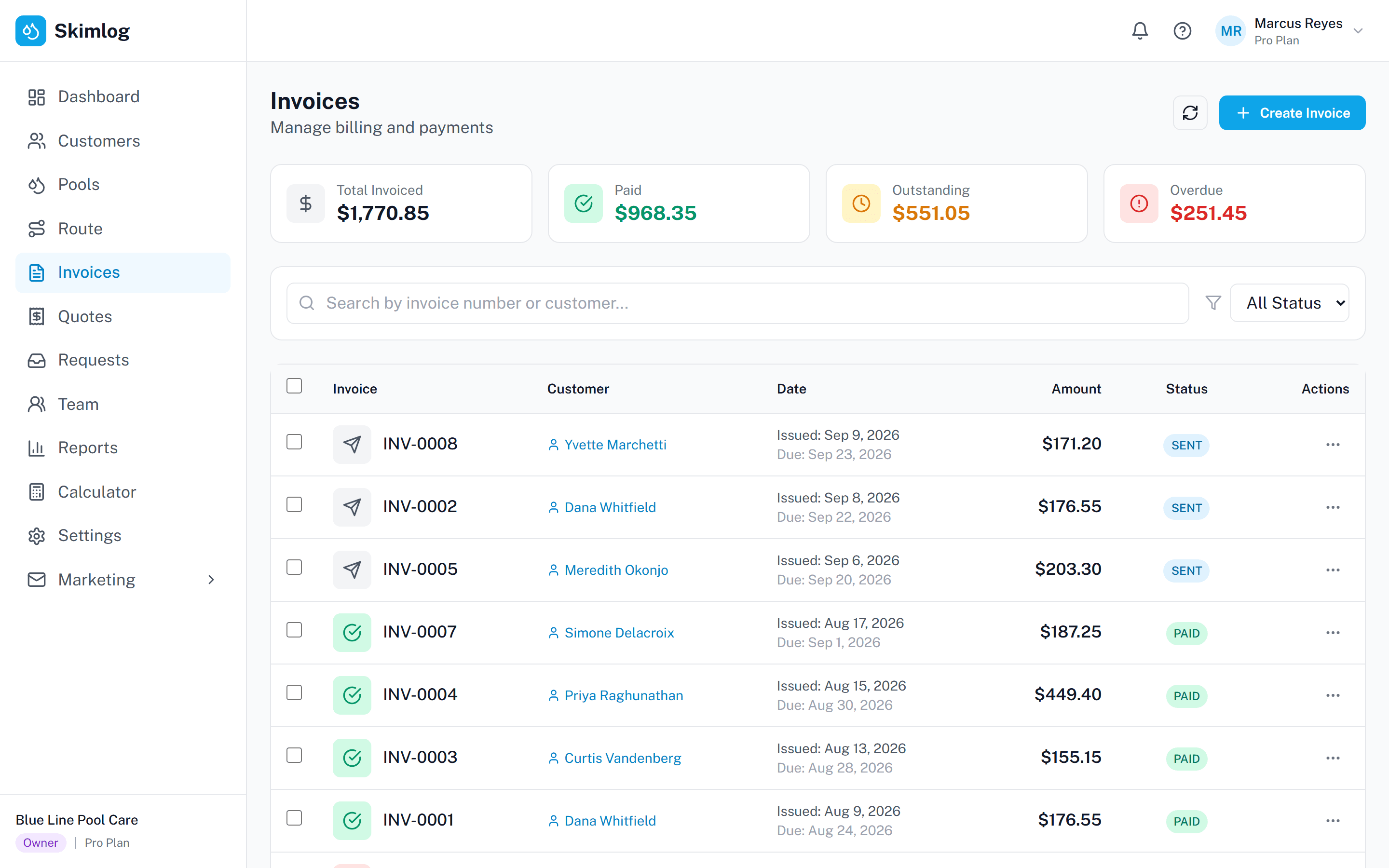
Set up monthly recurring billing with autopay. Create quotes for repairs and equipment installs that customers accept online. Invoices, payments, and outstanding balances are tracked in one dashboard.
No credit card required • 14-day free trial
How Pool Service Invoicing Works
From invoice to payment.
Step 1
Create the Invoice
Create an invoice or quote, or set a monthly billing day and let Skimlog generate the invoice.
Step 2
Charge the Card on File
Save a customer’s card through Stripe and charge it for an invoice. Autopay customers are charged on their billing day.
Step 3
Track Payments
Your dashboard shows outstanding and overdue balances, paid invoices, and revenue.
Invoicing built for pool service
Try Skimlog invoicing free for 14 days.
Invoicing and Payment Tools
- Invoices & Recurring Billing
- Create invoices yourself, or set a monthly billing day and let Skimlog generate and email the invoice.
- Card Payments via Stripe
- Connect your own Stripe account, save customers’ cards, and charge them for invoices. Card payments are processed by Stripe; Skimlog never stores card numbers.
- Monthly Autopay
- Autopay customers are charged on their billing day using the card saved in Stripe.
- Professional Quotes & Estimates
- Create quotes for repairs, equipment installs, or new service agreements. Customers accept quotes online, and accepted quotes can be converted to invoices.
- Customer Portal
- Customers can see their invoices and quotes in the customer portal.
- Revenue Dashboard
- Track revenue, outstanding and overdue balances, and revenue by customer in one dashboard.
Need a one-off invoice today? Use the free pool service invoice template.
Questions pool pros ask
- How does recurring billing work?
- Set a monthly billing day for a customer. Skimlog generates and emails the invoice, and can charge the customer’s saved card automatically.
- What payment methods do customers have?
- Credit and debit cards, through your connected Stripe account. You can save a customer’s card and charge it for invoices or monthly autopay.
- Can I create quotes and estimates?
- Yes. Create quotes for repairs, equipment installs, or new service agreements. Customers can accept quotes online, and accepted quotes can be converted to invoices.
- What are the payment processing fees?
- Stripe’s processing fees apply to card payments. Skimlog does not add its own fee on top.
- Can customers see their invoices?
- Yes. Invoices are listed in the customer portal.
Invoices, quotes, and card payments in one place
Start your free 14-day trial and send your first invoice today.
No credit card required.