Route Optimization
Pool Route Planning Software
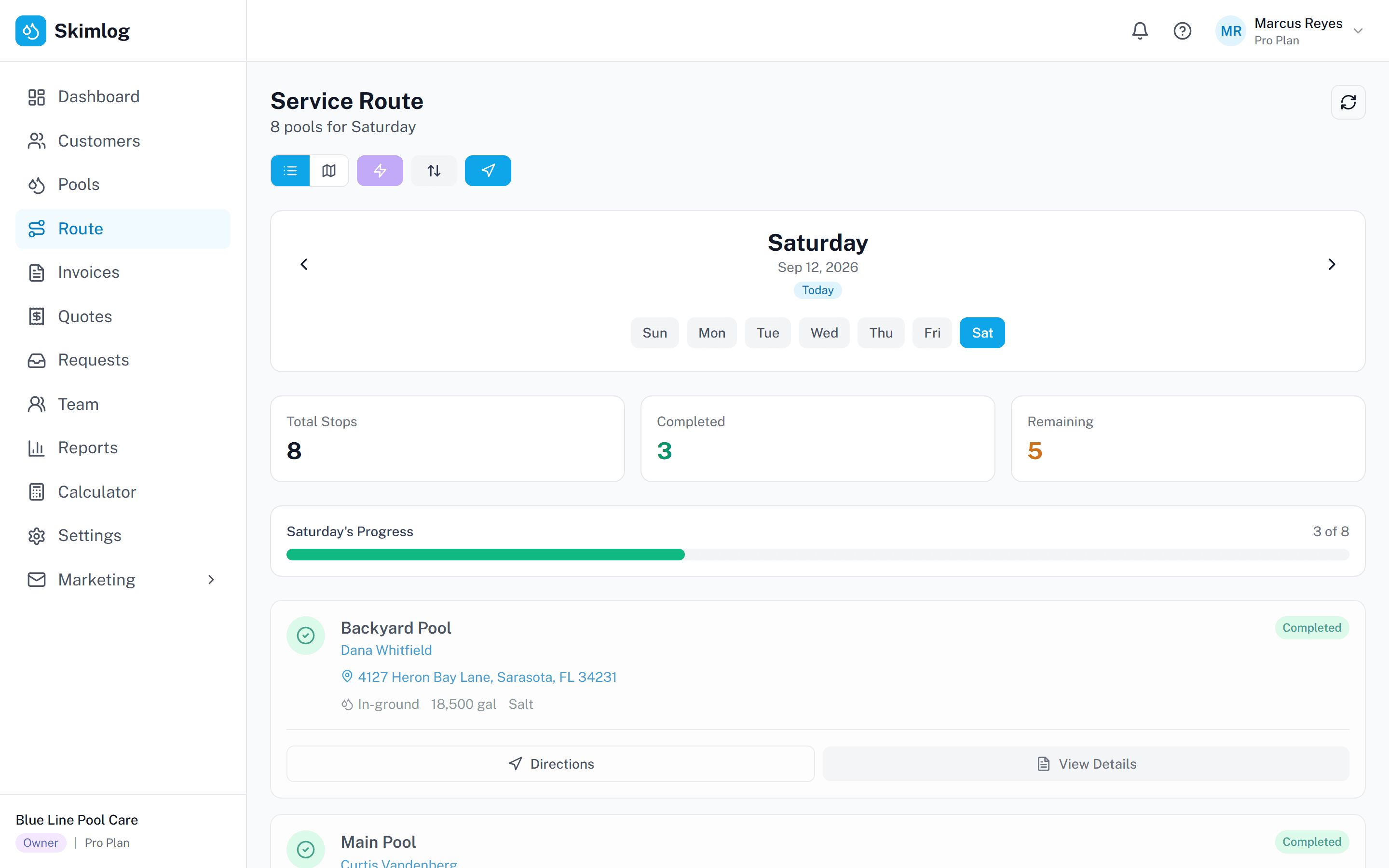
Skimlog shows each day's pool stops on a map. Drag stops into the order you want, or let Google Maps optimize the stop order to cut drive time, then open directions to each stop.
No credit card required • 14-day free trial
How Route Planning Works
Three steps to optimized pool routes every day.
Step 1
Add Your Pools
Import your customer list or add pools manually. Each pool gets a service schedule — weekly, bi-weekly, or custom.
Step 2
Build & Optimize Routes
Each day’s pools appear on the map. Drag stops into order, or let Google Maps optimize the stop order.
Step 3
Dispatch & Track
Techs open directions to each stop from their phone. The dashboard shows which services are in progress or completed.
Ready to optimize your pool routes?
Start your free 14-day trial. No credit card required.
Built for Pool Service Route Management
- Drag-and-Drop Route Builder
- See the day’s stops on a map and drag them into order. After optimizing, Skimlog shows the total distance and estimated drive time.
- Technician Assignments
- Assign each service to a technician on your team, and reassign it when plans change.
- One-Tap Navigation
- Tap a stop to open directions in Google Maps (or Apple Maps on iPhone), or open the whole route in Google Maps.
- Service Days
- Give each pool a service day, and the route for that day lists the pools scheduled for it.
- Progress Tracking
- See which services are scheduled, in progress, or completed, and how long each service took.
Questions pool pros ask
- How does pool route planning software save time?
- It optimizes the order of your stops to cut drive time between pools and avoid backtracking.
- Can I assign work to different technicians?
- Yes. Each service can be assigned to a technician on your team.
- Does it work offline in the field?
- Yes. Technicians can view their routes, complete services, and log data without cell service. Their work syncs when the connection comes back.
- How is Skimlog different from Google Maps?
- Google Maps handles navigation, but it does not keep your pool service schedule, customer details, or service records. Skimlog uses Google Maps to optimize each day’s stop order and keeps the route alongside the rest of your pool service work.
- Is there a free trial?
- Yes. Skimlog offers a free 14-day trial. No credit card required.
Plan your pool routes on a map
Start your free 14-day trial.
No credit card required.